Six problems every team has, and what OrbitBell does about each
This isn’t a feature list. For each problem: what usually happens, what changes with OrbitBell, and the parts of the product that make it happen.
Knowing who’s doing what
Before
A task comes up in a meeting, everyone nods, and a week later each person thought someone else had it.
With OrbitBell
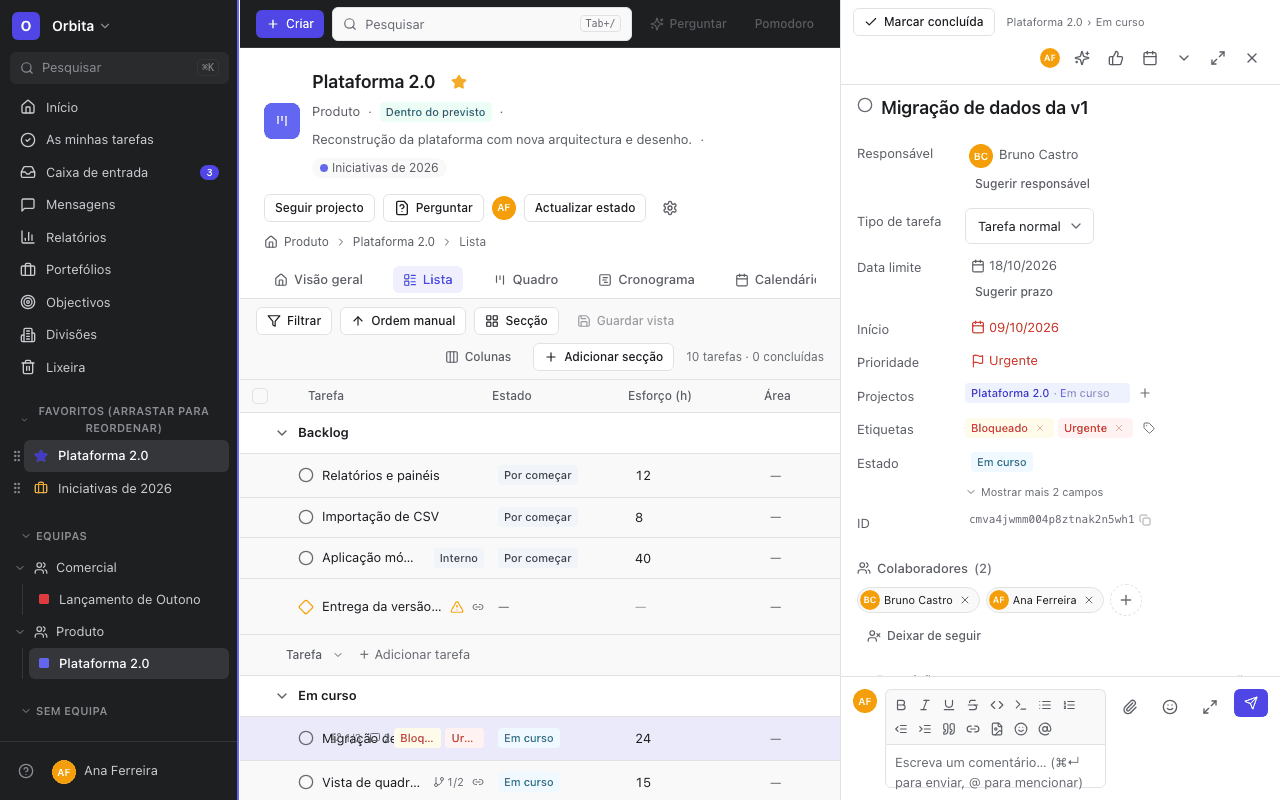
Every task has a single owner, visible to the whole team. Whoever gets a task is notified and sees it in “My tasks”.
How
- Owner, collaborators and priority on the task panel
- “My tasks”, with your own sections and “Overdue”, “Today” and “Next 7 days” filters
- Workload view to spread tasks before anyone gets overloaded
Deadlines and priorities without surprises
Before
Deadlines live in people’s heads, or in a spreadsheet nobody opens at the start of the week.
With OrbitBell
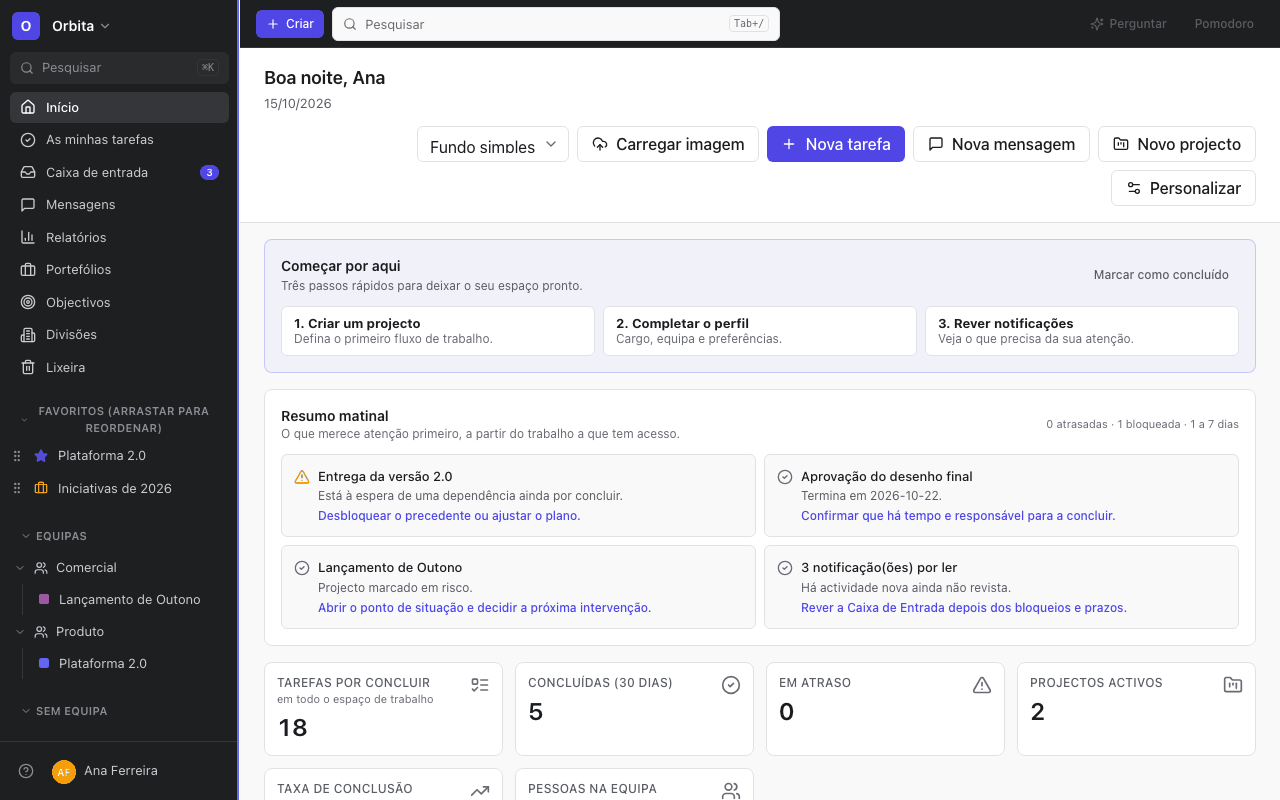
Everyone starts the day on Home, which shows what’s overdue, what’s blocked and what’s due in the next few days. The Inbox lets you know when a deadline is close or has passed.
How
- Start dates and due dates, not just deadlines
- Recurring tasks that create the next occurrence on their own
- Calendar subscription, so your tasks appear in the calendar you already use
Delays and blockers before they get expensive
Before
One task waits on another that nobody knew was urgent, and the delay only shows once it has dragged everything after it.
With OrbitBell
You say which task is waiting on which. A blocked task shows a warning in lists and on the board, and its owner is notified when they can go ahead. On the Timeline, dependencies are arrows: move a date and the dependent tasks follow.
How
- “Blocked by” and “blocking” dependencies
- Critical path and milestones on the Timeline
- A Dependencies tab on the Dashboard showing what’s stuck and on whom

The conversation next to the work
Before
The decision was made in an email, the file is in the chat, and nobody knows where the final version ended up.
With OrbitBell
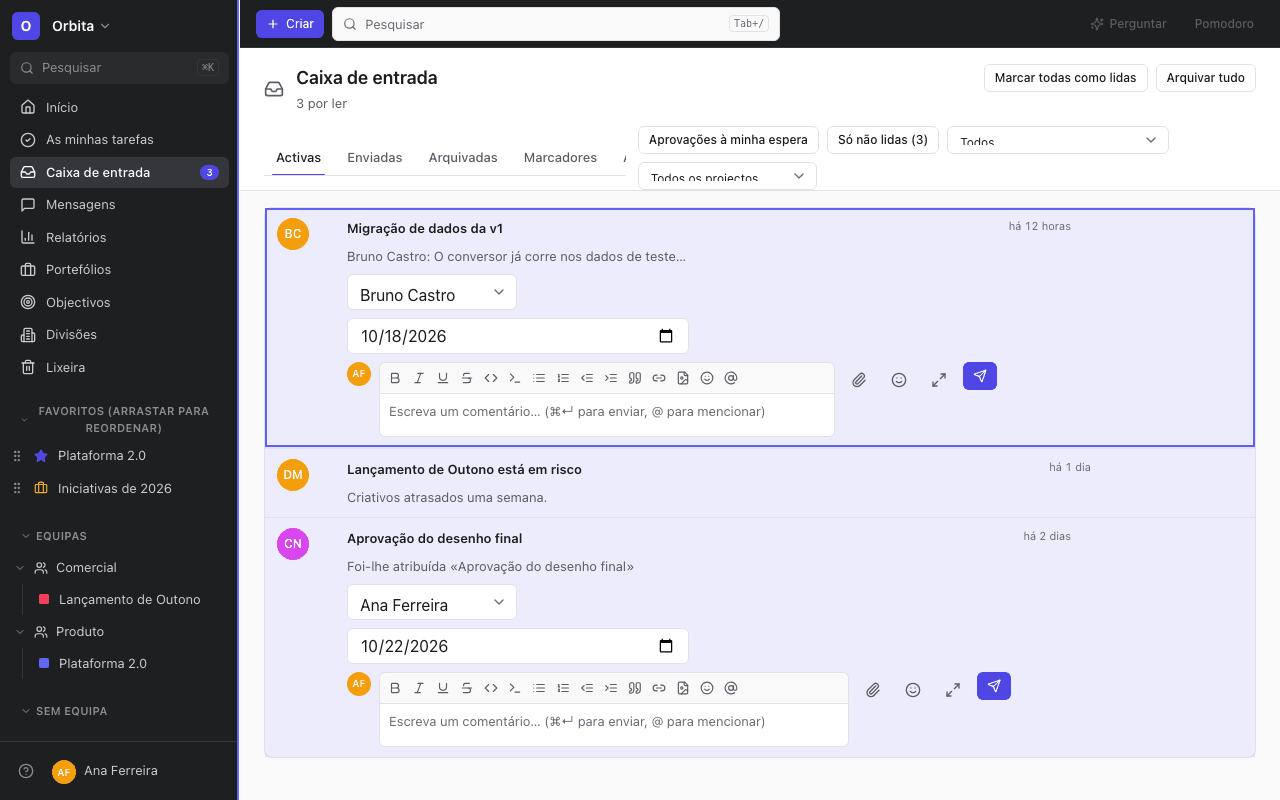
Each task keeps its comments, files and approvals. Whoever is mentioned gets notified; whoever needs to follow along joins as a collaborator.
How
- Comments with formatting, images and mentions
- Approval requests and comments directly on images, where each note becomes a subtask
- Project and team messages, for what doesn’t belong to a single task
Knowing where everything stands, without booking meetings
Before
To find out how a project is going, you ask three people and get three answers.
With OrbitBell
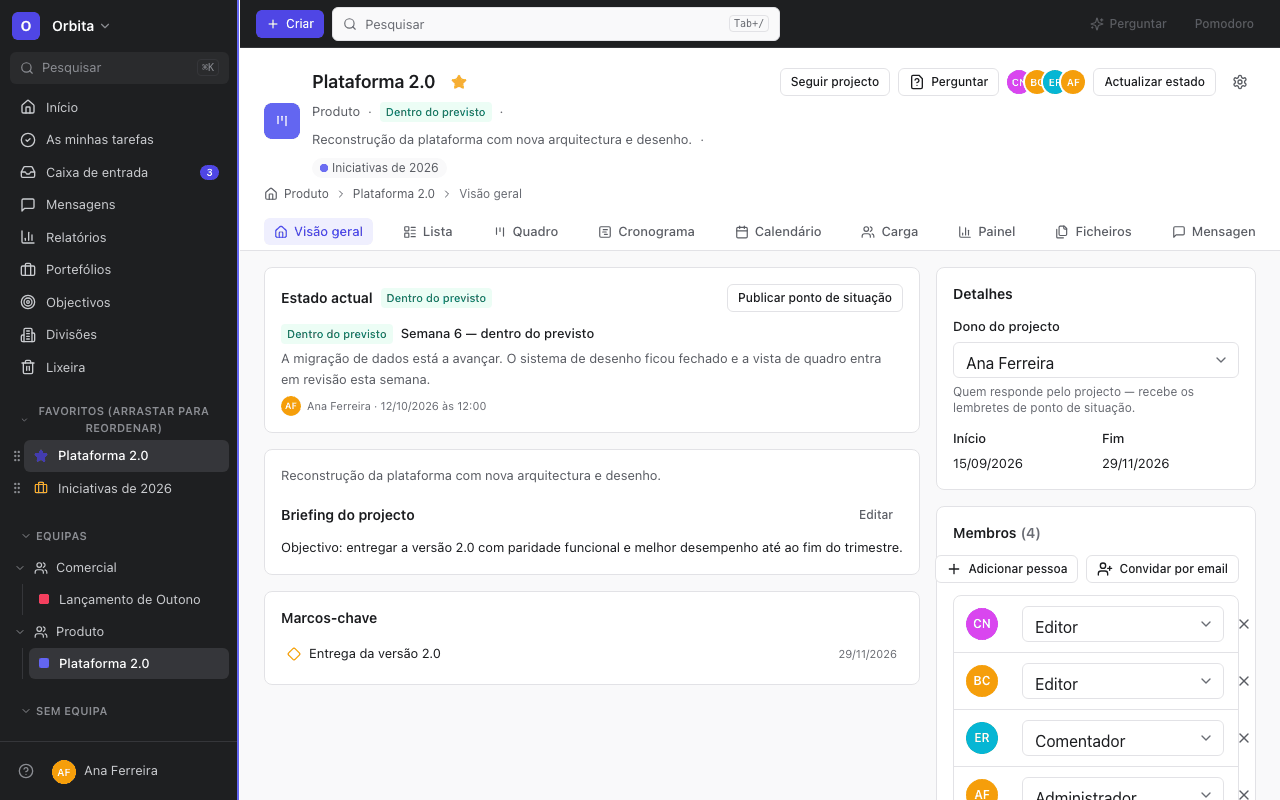
Each project has a current status and a history of status updates: what’s going well, blockers and next steps. People coordinating several teams group projects into portfolios and link them to goals, which calculate their own progress.
How
- Project dashboard and custom dashboards with configurable charts
- Status updates with live project figures inserted into the text
- Nested portfolios and goal hierarchies

Less repetitive work by hand
Before
Every week someone copies the same tasks, moves cards between columns and reminds colleagues about the same things.
With OrbitBell
“When… then…” rules handle the repetitive bits: assigning, moving, notifying. Forms turn requests into tasks, and templates start each project with the right structure.
How
- Rules with conditions, branches and scheduled triggers, with no run limits
- Public forms, with questions that appear depending on earlier answers
- Project templates, and bundles that apply sections, fields and rules to several projects at once
What OrbitBell doesn’t do yet
We’d rather tell you here than have you find out later.
- Native iOS and Android apps. On your phone you use the web app, which installs on your home screen.
- Single sign-on (SSO) for enterprises.
- A large catalogue of ready-made integrations. To connect what’s missing, there’s an API, webhooks and the connector for AI assistants.
- Fine-grained guest permissions: today a guest sees the projects they’re added to, with no per-field or per-action settings.
Frequently asked questions
Do I need to set a lot up before I start?
No. Your first project starts from a template, with sections and sample tasks you can delete. Fields, rules and forms can be added when you need them.
Does it work for one person on their own?
It does, but OrbitBell pays off most with the team on board: knowing who’s doing what matters once there’s more than one person.
Is there a timeline (Gantt)?
Yes. The Timeline has draggable bars, hand-drawn dependencies, milestones and a critical path. Changing a date shifts the tasks that depend on it.
Does it connect to my AI assistant?
Yes. ChatGPT and Claude connect to OrbitBell through an MCP connector: you authorise once and the assistant can search, read, create and update tasks, only where your account has access. You can revoke access at any time.
Which languages is it in?
European Portuguese, English, French, Italian, German and Spanish. Everyone picks their own.
See it with your own work
Pick a template or import what you already have, and bring in the team.